Math — love it or hate it, calculators make our lives a whole lot easier and more accurate! But what type do you actually need? What's the best calculator for business versus school versus home use? Can too many features get in the way? And what's the right size for your needs? This guide covers the different types of calculators available, including desk calculators, classroom calculators, scientific calculators, and online calculators.
Different Types of Calculators
There are many different kinds of calculators on the market, each with its own range of features. Calculators are built to quickly handle mathematical problems. Basic models only manage addition, subtraction, multiplication, and division, while more advanced calculators, such as scientific ones, can carry out far more complex operations.
It's worth remembering that more features doesn't necessarily mean a better fit for your needs. What will you actually be using the calculator for? Do you regularly need to solve complex equations? Does your job involve a lot of accounting work? Or do you just need something for everyday calculations? Think about your intended use before spending money on a calculator packed with features you won't actually use.
The size of the calculator can also affect usability, especially for people with vision difficulties. Who's going to be using it? A construction worker or technician will likely want larger buttons and a bigger display than what's needed in a classroom setting.
Best Basic Calculator
A basic calculator is designed for simple arithmetic. It's sometimes referred to as a 4-function calculator, since addition, subtraction, multiplication, and division are the only operations it's built to handle.
Unless you work in a mathematical, scientific, or engineering field, these four functions are likely all you'll ever need. If working things out in your head isn't your thing, a basic calculator can help with everyday tasks like figuring out a monthly budget or calculating a tip.
As long as you're not working in finance, a basic calculator is generally the best choice for everyday office use.
Best Desk Calculator
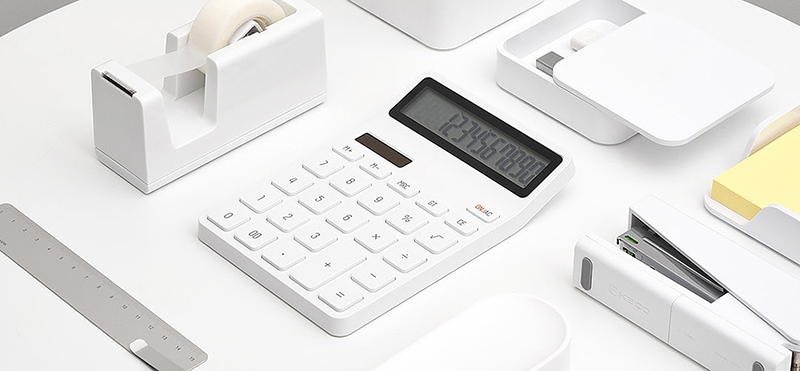
A desk calculator features a large, clear display and ergonomically designed buttons. It's bigger than a basic calculator and built to sit flat on a desk. Many desk calculators include a tiltable display, letting users see the numbers they're typing without straining their neck.
Desk calculators come with practical functions such as percentage and square root calculations, among others. They work well both at the office and at home. Their larger numbers and display make them easier to read, which is especially helpful for people with limited vision or children just learning their numbers.
Best Kids' or Classroom Calculator
To build a child's mathematical reasoning, numerical fluency, and number sense, children need to practise working through problems both mentally and on paper. Relying on a calculator can take away the opportunity to build these essential skills, since mathematical ability develops through regular, repeated practice.
Using a calculator in an elementary classroom can therefore get in the way of developing fundamental maths skills. That said, if you're after a classroom calculator simply to help students check their work or practise their times tables, any basic model will do the job.
Best Scientific Calculator
A scientific calculator is used to compute more advanced functions, helping with mathematics, engineering, and science problems. These calculators come with far more buttons than a basic or desk calculator, which is limited to addition, subtraction, multiplication, and division. The extra buttons allow for writing and solving a wide range of complex equations.
Scientific calculators can help solve problems involving:
- π calculations
- Logarithms with base 10 and the natural base
- Scientific notation (numbers multiplied by 10 raised to a given power)
- Probability problems using the factorial function
- Trigonometry
You can use a scientific calculator to solve trigonometry problems involving sine, cosine, and tangent, as well as their inverse and hyperbolic functions. There's also a dedicated button for Euler's constant (e) and π. On top of that, scientific calculators let you raise numbers to any power, and include an Exp button for quickly entering numbers in scientific notation.
Engineering problems often involve scientific numbers, logarithms, and exponents. Anyone working in engineering knows these expressions tend to be long and made up of several steps, making them tedious to work out by hand. Scientific calculators let you enter the entire expression at once, so all that's left to do is press "=" — the calculator handles each step in the correct order, following standard order of operations.
Best Graphing Calculator
A graphing calculator can plot graphs, solve simultaneous equations, and handle a range of tasks involving variables. It can display plotted graphs for complex equations, such as parabolas, and offers far more advanced features than a basic calculator.
Graphing calculators are a common tool in higher-level maths courses, offering a visual way to explore subjects such as algebra, trigonometry, and calculus. Their large display can show several lines of calculations and text at once. Most graphing calculators are also programmable, meaning users can create custom programs for educational, engineering, or scientific purposes.
Some graphing calculators come with a computer algebra system (CAS), allowing them to produce symbolic results — meaning they can manipulate algebraic expressions and perform operations like simplifying, factoring, and expanding. They can also give exact answers without numerical rounding.
A number of graphing calculators can also connect to external devices such as weather instruments, pH meters, and electronic thermometers, allowing them to function as data loggers as well as communication tools for classroom or lab-based interaction with a teacher.
Best Printing Calculator
A printing calculator, sometimes called an adding machine or financial calculator, is a desktop device primarily used by accountants, financial institutions, and tax professionals.
Printing calculators let you review and verify your work, since they print out each calculation as you enter it. This means you can double-check your results without having to redo the maths. The printed record confirms the accuracy of your work and can be removed and filed alongside your records as proof your calculations are correct.
The large buttons on a printing calculator make it easy to type quickly and accurately, and the large display means you won't need to strain your eyes reading the numbers.
Most printing calculators include a Grand Total function, which lets you add up the sum of previously calculated totals. This is particularly useful when you need to calculate several separate lists of figures and then combine them to find an overall result — for example, on a tax return, where you might calculate income by category before adding those figures together to determine total annual income.
Online Calculators
Best Free Online Calculator
Search for an online calculator on Google and a free one appears right there in the results — no need to visit another website. The Google calculator includes both basic and more advanced features.
With it, you can perform arithmetic, calculate functions, look up the value of physical constants, and convert between number bases and representations. You can also use it to graph exponential, trigonometric, and logarithmic functions, as well as 3D graphs, though the latter only works on desktop browsers that support WebGL.
Beyond Google's built-in calculator, there are plenty of other free calculators available online.
Calculator Apps
Best Calculator App
If you have an iPhone, it comes with a built-in app simply called "Calculator," offering basic calculator functions. To access the scientific calculator, just rotate the phone into landscape orientation — this reveals a range of additional buttons.
Android phones also come with a built-in calculator app, also called "Calculator." It includes the four basic mathematical operations as well as engineering calculations. To access the advanced functions, simply tap the engineering calculator icon.
If you're after other options, the 7th Gear Calculator app includes both a standard and a scientific calculator. The Calculator Air app also offers basic and scientific functions, plus the option to photograph a maths problem for automatic calculation.