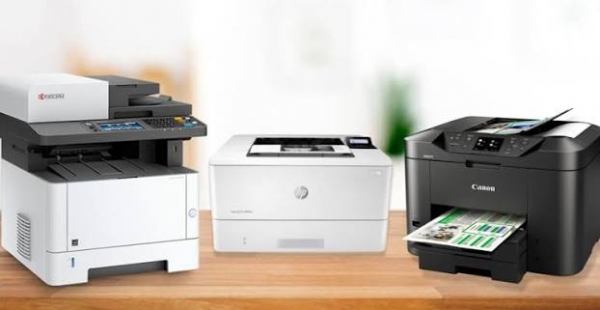
Before purchasing a new printer, it is important to determine which features are essential for your business and which are simply nice to have. Whether you are buying your first office printer or expanding your business and need an additional device, the following factors can help you make the right choice.
Laser Printer or Inkjet Printer?
The main difference between laser and inkjet printers is the technology they use to produce prints. Inkjet printers use ink cartridges, while laser printers use toner and electrostatic technology.
If your office regularly prints large volumes of black-and-white documents and speed is a priority, a monochrome laser printer may be the better choice. On the other hand, if you need high-quality, vibrant color images or frequently print on different types of paper, an inkjet printer may be more suitable.
It is also important to look beyond the initial purchase price and consider long-term printing costs. Ink cartridges may have a lower upfront cost, while toner cartridges generally provide a higher page yield.
1. Security
Modern offices use printers to process contracts, financial information, customer data, and other confidential documents. As a result, printer security has become an increasingly important consideration.
Printers connected to the internet or a company network can potentially become targets for cyberattacks. When choosing a printer, consider features such as:
Secure and confidential printing
User authentication
Print permission management
Network security
Protection against unauthorized printing
These features can help prevent sensitive documents from being accessed by the wrong person.
2. Printing Speed
Printing speed is particularly important for offices that handle large volumes of documents.
If your business regularly prints contracts, invoices, reports, or other paperwork, a high-speed printer can significantly improve workflow efficiency.
When comparing printers, check the pages-per-minute (PPM) rating and consider how effectively the device can handle large and complex print jobs.
3. Size and Placement
The physical size of a printer is another important factor to consider. This is particularly relevant for small offices where workspace is limited.
Compact inkjet printers can be suitable for small offices and home workspaces, while larger laser printers generally offer greater functionality and faster printing speeds.
If the printer needs to be moved around the office, a model with built-in wheels can provide greater flexibility and convenience.
4. Ease of Use and Maintenance
A printer that is easy to install, operate, and maintain can save employees considerable time.
Some printers offer simple plug-and-play installation, while others require more complicated configuration. If your team has limited technical expertise, consider choosing a user-friendly printer backed by reliable after-sales technical support.
It is also worth considering:
Easy toner or cartridge replacement
Automatic diagnostics
Remote technical support
Availability of spare parts
Regular maintenance services
5. Environmental and Energy-Efficient Features
Reducing energy and paper consumption is becoming increasingly important for modern businesses. Choosing an energy-efficient printer can help reduce operating costs while supporting more environmentally responsible office practices.
Look for features such as:
Automatic duplex printing
Energy-saving modes
Paper-saving functions
Toner-saving modes
Low power consumption
Automatic double-sided printing can significantly reduce paper consumption and help lower office operating costs.
Choosing an office printer should involve more than simply comparing purchase prices. Printing volume, speed, security, size, ease of use, maintenance requirements, and energy efficiency should all be considered together.
The right printer can improve your company's daily workflow, reduce printing costs, increase productivity, and provide a more efficient office environment.